How to deliver an ebook to readers (EPUB and PDF)
· 4 min read
Handing out a free ebook sounds easy until you try to do it well. Email attachments get blocked or stripped, public download links get shared far beyond the reader you sent them to, and readers get stuck trying to open a file on their device. This guide covers how to deliver reliably and securely, and how to help readers actually open the book.
Which formats to offer
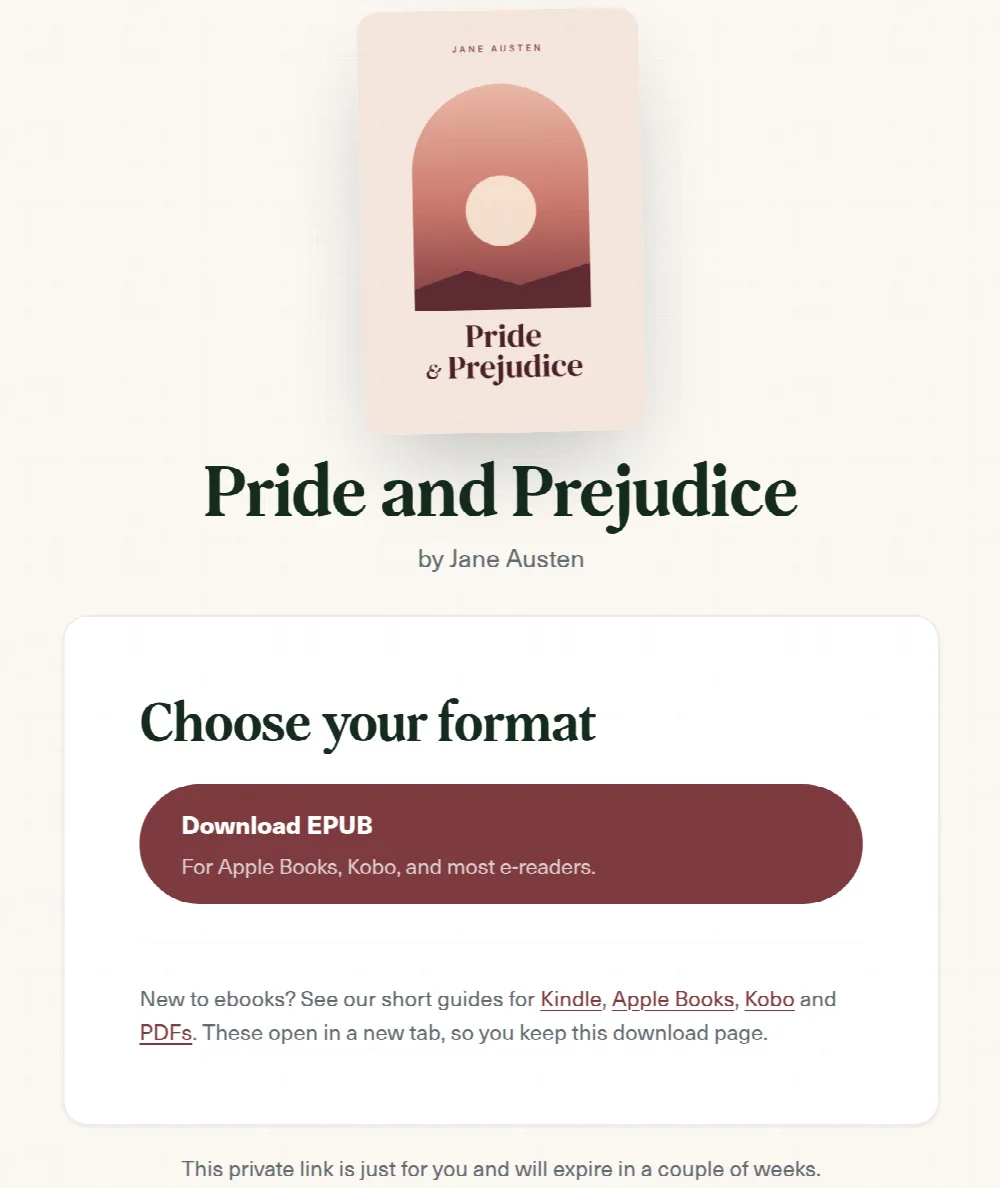
EPUB is the standard ebook format. It reflows to fit any screen, lets readers change the font and size, and works in Apple Books, Kobo, Google Play Books and nearly every e-reader. Offer it as your main format. A PDF is a useful fallback: it keeps a fixed layout, opens almost anywhere, and suits illustrated or print-style books, though it is less comfortable on a phone. Offering both lets readers choose. For a fuller comparison, see EPUB vs PDF.
Deliver securely, not publicly
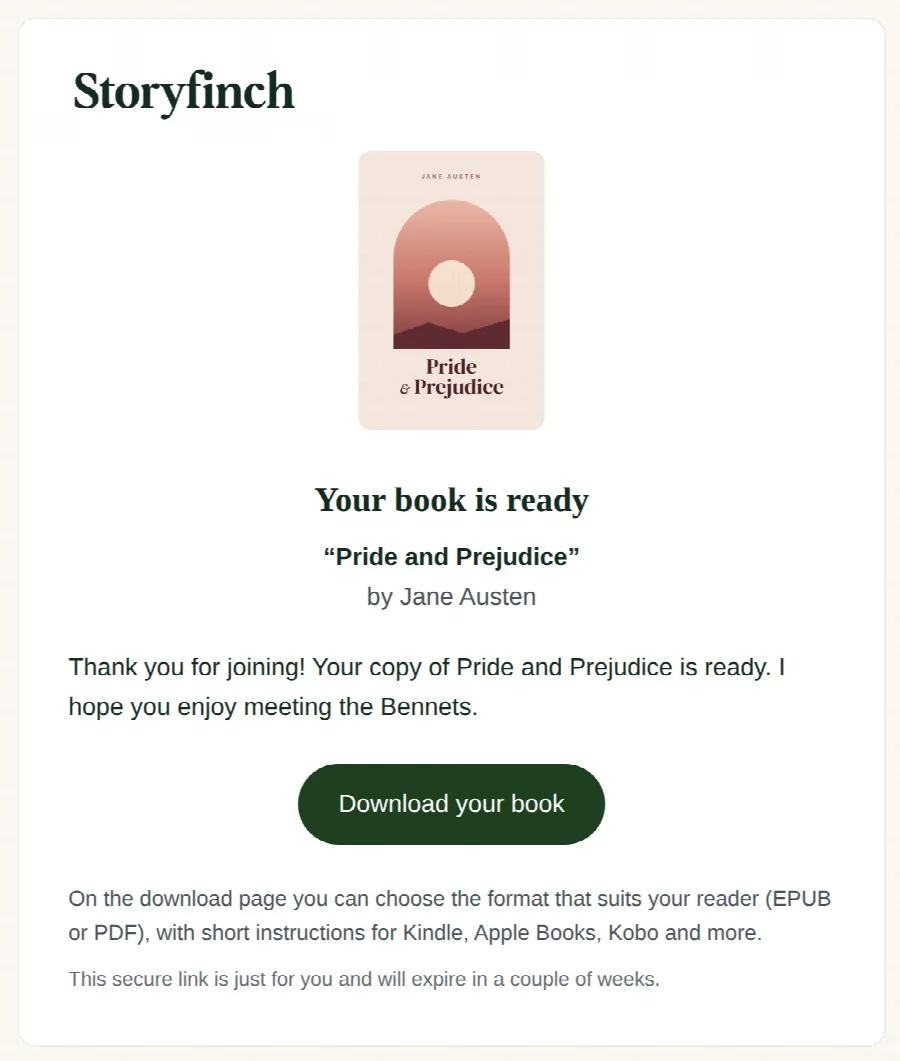
A permanent public download URL is easy to set up and easy to abuse. Once the link is out, it can be posted anywhere and downloaded by anyone. A better approach is a private link that is unique to each reader and expires after a while, so your book is not sitting on an open URL that gets passed around. Storyfinch delivers every book this way, and you can set a per-reader download limit if you want tighter control.
Why not just email the file?
Sending the book as an email attachment seems simplest, but it causes the most problems. Large attachments bounce or land in spam, some providers strip ebook files entirely, and you end up sending files by hand every time someone signs up. A download link in a well-formed email is more reliable, and it lets you deliver automatically.
Help readers open the book
Even a perfect delivery fails if the reader cannot open the file. Here is how readers open an EPUB on the main devices:
- Kindle: modern Kindles accept EPUB through Amazon Send to Kindle. Readers can email the file to their personal Send to Kindle address, or use the Send to Kindle app or web page, and Amazon converts it automatically.
- Apple (iPhone, iPad, Mac): opening an EPUB adds it straight to Apple Books. Readers usually just tap the file and choose Books.
- Kobo: Kobo e-readers read EPUB natively. Readers can add it through the Kobo app or by transferring the file to the device.
- Android and Google Play Books: readers can upload the EPUB to Google Play Books, or open it in most Android reading apps.
- PDF: a PDF opens in almost any app on any device, which is why it makes a good fallback for readers who get stuck.
Storyfinch shows readers short, friendly guides for each of these on the download page, so you do not have to answer the same questions by email.
Common problems and how to avoid them
- The email lands in spam. Send from a verified sender domain and avoid attachments. A clean, plain email with a single download link performs best.
- The reader cannot open the file. Offer both EPUB and PDF, and link to short device guides so readers can help themselves.
- The link gets shared. Use private, expiring links rather than a public URL, and set a download limit if needed.
Automate the whole thing
You should not be emailing files by hand. When a reader signs up, the book should arrive automatically, the download should be secure, and the reader should join your mailing list if they consented, ready for your welcome sequence. Weighing up the tools that do this? See our comparison of BookFunnel, StoryOrigin and Storyfinch. Create a free Storyfinch account and it handles all three.
Frequently asked questions
Can I send an EPUB to a Kindle?
Yes. Modern Kindles support EPUB through Amazon Send to Kindle, which converts the file automatically. You do not need to supply a separate Kindle format.
Should I offer MOBI or AZW?
No. Amazon has retired MOBI for new files in favour of EPUB through Send to Kindle, so an EPUB, with a PDF as a fallback, covers your readers.
How do I stop my book being shared everywhere?
Deliver through private, expiring links unique to each reader rather than a public URL, and set a per-reader download limit if you want tighter control.
Grow your list with your next book
Give readers a free book and turn them into subscribers, with secure delivery and consent built in.
Create your free accountFree plan · No card required · Set up in minutes